
<p>Recruiters use LinkedIn like a search engine. They type in a job title, apply filters for location and experience level, and scroll through the top results. If your profile isn't optimised for the way that search works, you're invisible to every recruiter who isn't already looking for you by name. Over <strong>87% of recruiters</strong> use LinkedIn as their primary sourcing tool, and the difference between a profile that shows up in results and one that doesn't comes down to a handful of specific fields most graduates either skip or fill in wrong.</p>
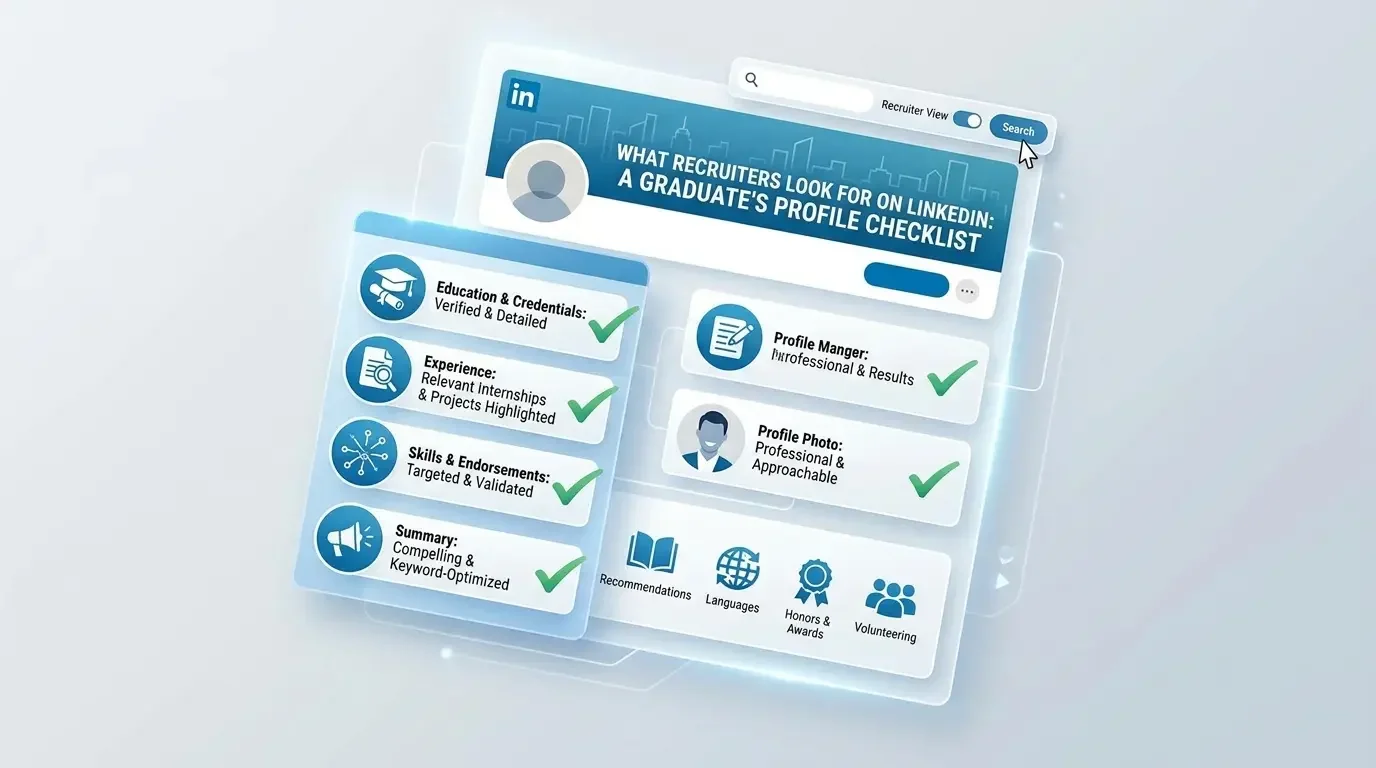
<p>This <strong>LinkedIn profile checklist for graduates</strong> covers every section recruiters actually look at, in the order they look at it. Work through each phase before your next application. Most of the fixes take under five minutes. A few take longer but make a significant difference to how often your profile appears in recruiter searches.</p>
<h2>How Recruiters Actually Use LinkedIn</h2>
<p>Before you update anything, understand how the search works. Recruiters using LinkedIn Recruiter and LinkedIn's free search filter by job title, location, skills, and keywords. LinkedIn's algorithm surfaces profiles based on how closely the text in your profile matches what the recruiter typed. This means the words you use in your headline, your about section, and your experience entries directly determine whether you show up at all.</p>
<p>Recruiters typically spend <strong>6 to 10 seconds</strong> on a profile before deciding whether to read further or move on. Your photo, your headline, and the first two lines of your About section are the only things they see in that window. Everything else only gets read if those three things earn the next 30 seconds of attention.</p>
<p>Work through this checklist in order. Phase 1 covers the elements that determine whether you get found. Phase 2 covers the elements that determine whether you get contacted once someone lands on your profile.</p>
<h2>Phase 1: Profile Visibility (Get Found in Recruiter Searches)</h2>
<p>These are the fields that feed LinkedIn's search algorithm directly. Getting them right is the difference between appearing on page one of a recruiter's results and not appearing at all.</p>
<ul>
<li><strong>Set your headline to the job title you want, not your current status.</strong> "Recent Graduate" is not a searchable term recruiters use. "Junior Marketing Executive | SEO | Content | Google Analytics" is. Your headline is the single most important field on your profile for search visibility. It should include your target job title and two to three relevant skills separated by vertical bars or commas. Update it today before you do anything else on this list.</li>
<li><strong>Turn on "Open to Work" and set it to recruiter-only visibility.</strong> Go to your profile, click "Open to," select "Finding a new job," choose the job titles you're targeting (add up to five), set your location preferences, and select "Recruiters only" unless you're comfortable with your network seeing the green banner. Recruiters actively filter for Open to Work candidates. If this is switched off, you're not in that filtered pool.</li>
<li><strong>Add your location accurately and include the city name.</strong> LinkedIn search filters by location. If your location field shows only your country, you may not appear in city-level searches. Set it to your specific city. If you're open to remote work, add "Remote" as one of your preferred job location types in your Open to Work settings.</li>
<li><strong>Fill in your industry field.</strong> It's a dropdown under your intro section and most graduates leave it blank. Recruiters filter by industry. Blank industry fields get filtered out. Pick the industry closest to the roles you're targeting.</li>
<li><strong>Add your target job titles to the Skills section.</strong> LinkedIn's algorithm weighs skills against recruiter searches. Go to Add Profile Section, select Skills, and add every skill mentioned in job descriptions you've been reading. Prioritise technical skills over soft skills. "SQL" will match a recruiter's search. "Strong communicator" will not.</li>
</ul>
<h2>Phase 2: Profile Credibility (Get Contacted After They Land on Your Page)</h2>
<p>Once a recruiter finds your profile, they're making a fast judgment about whether you're worth reaching out to. These elements determine that judgment.</p>
<h3>Profile Photo</h3>
<ul>
<li><strong>Use a photo where your face fills at least 60% of the frame.</strong> Profiles with photos get <strong>21 times more views</strong> and 36 times more messages than profiles without them. The photo doesn't need to be professional. It needs to be clear, well-lit, and show your face without distractions in the background. A plain wall works. A graduation photo cropped well works. A group photo where you've cropped yourself out of it doesn't.</li>
<li><strong>Use a background photo relevant to your field.</strong> The banner image behind your profile photo is a free piece of visual real estate that most graduates leave as the default blue gradient. Replace it with something relevant to your industry or your career goal. A simple Canva template with your target job title and a relevant image takes about eight minutes to make and immediately makes your profile look more intentional than 90% of graduate profiles.</li>
</ul>
<h3>About Section</h3>
<ul>
<li><strong>Write 3 to 4 short paragraphs, not one long block of text.</strong> Your About section should open with a direct statement of who you are and what you're looking for, include one specific achievement or project with a number attached, name the skills or tools you bring, and close with a clear call to action such as "Open to junior marketing roles in Lagos. Connect or message me directly." That structure takes up about 200 to 250 words and covers everything a recruiter needs to see.</li>
<li><strong>Include your primary target job title in the first sentence of your About section.</strong> LinkedIn's search algorithm indexes your About section. If you want to appear in searches for "junior data analyst," those words need to appear in your profile text, and the About section is one of the best places to put them naturally.</li>
<li><strong>Do not write your About section in the third person.</strong> "John is a motivated graduate seeking opportunities in finance" reads like someone else wrote it. Write in the first person. "I'm a finance graduate with a strong foundation in financial modelling and Excel" is direct, human, and reads far better to any recruiter who gets past your headline.</li>
</ul>
<h3>Experience Section</h3>
<ul>
<li><strong>Add every role you've held, including part-time, voluntary, and university society positions.</strong> A recruiter scanning an entry-level profile is not expecting Goldman Sachs. They're looking for evidence of responsibility, reliability, and any transferable skill. A part-time retail job teaches customer communication and working under pressure. A society treasurer role demonstrates financial responsibility and event coordination. Frame every role using two to three bullet points that start with action verbs and include a result wherever possible.</li>
<li><strong>Write bullet points using the same formula as your resume: action verb plus what you did plus the result.</strong> "Managed the society's £4,000 annual budget, reducing overspend by 18% compared to the previous year" is a bullet point. "Responsible for budgeting" is not. The distinction matters because bullet points on LinkedIn are indexed by search, and specific language signals genuine experience rather than padding.</li>
<li><strong>Add your dissertation or final-year project as an experience entry if it's relevant.</strong> Give it a title, list the institution, set the dates as your final year, and write two to three bullet points describing the topic, your methodology, and your findings or outcome. Recruiters hiring for research, analytical, or content roles frequently look at final-year projects as evidence of independent work. Don't leave it off.</li>
</ul>
<h3>Education Section</h3>
<ul>
<li><strong>List your degree, institution, graduation year, and relevant modules.</strong> The modules field is consistently underused. Add four to six modules that are directly relevant to the roles you're applying for. If you're targeting marketing roles, list your consumer behaviour, digital marketing, and brand management modules. If you're targeting data roles, list your statistics, research methods, and quantitative analysis modules. These terms are searchable.</li>
<li><strong>Add any certifications, awards, or academic achievements under Education.</strong> A distinction, a prize, a scholarship, or a university competition placement all belong here. They don't have to be prestigious to be worth including at the graduate level. They signal that you performed above the baseline, which is exactly the kind of signal a recruiter scanning entry-level profiles is looking for.</li>
</ul>
<h3>Licences and Certifications</h3>
<ul>
<li><strong>Add every relevant certification you've completed, including free ones.</strong> Google Digital Marketing, HubSpot Content Marketing, Coursera Data Analysis, LinkedIn Learning Project Management. Free certifications from recognised providers are legitimate credentials at the entry level. Add them with the issuing organisation, the date completed, and the credential ID if one was provided. A profile with three relevant certifications signals self-directed learning, which is one of the top qualities graduate recruiters say they're looking for.</li>
</ul>
<h2>Phase 3: Profile Engagement (Signal That You're Active)</h2>
<p>A profile that hasn't been touched since graduation reads as inactive. Recruiters sourcing candidates can see when a profile was last updated and how recently the person has been active on the platform. These steps signal that you're present, engaged, and serious about your job search.</p>
<ul>
<li><strong>Post or engage with content at least twice a week.</strong> You don't need to write long articles. Commenting thoughtfully on posts by people in your target industry, sharing a relevant article with a two-sentence observation, or posting a short update about something you've learned recently all count as activity. The goal is to appear in your connections' feeds regularly so that when a recruiter views your profile, your activity section shows recent engagement rather than months of silence.</li>
<li><strong>Connect with at least 10 recruiters in your target industry.</strong> Search LinkedIn for "recruiter" plus your target sector, filter to people in your city or country, and send connection requests with a short personalised note: "Hi [Name], I'm a recent graduate targeting junior roles in [sector] and I'd love to connect." You don't need a response to benefit from the connection. Being connected to active recruiters means your profile appears in more of their searches automatically.</li>
<li><strong>Request one LinkedIn recommendation before you start applying.</strong> A recommendation from a lecturer, a manager from a part-time job, or a supervisor from a volunteer role adds social proof that no other section on your profile provides. One genuine recommendation is enough to meaningfully improve how your profile is perceived. Ask the person to speak to a specific skill or quality rather than leaving them to write something generic.</li>
</ul>
<h2>LinkedIn Profile Mistakes That Make Recruiters Skip Your Profile</h2>
<ul>
<li><strong>Using "Recent Graduate" or "Open to Opportunities" as your headline.</strong> These phrases are not searchable, they tell a recruiter nothing specific, and they appear on roughly 40% of all graduate profiles. You blend into the background the moment you use either of them. Replace your headline with your target job title and your top skills today.</li>
<li><strong>Leaving your About section blank or copying it from your CV personal statement.</strong> A blank About section costs you search visibility and credibility simultaneously. A personal statement copied from your CV reads as lazy and misses the conversational tone that works on LinkedIn. Write something fresh specifically for the platform.</li>
<li><strong>Connecting with hundreds of people without a specific strategy.</strong> A large connection count looks credible only if those connections are relevant to your industry or job search. Prioritise connecting with recruiters, hiring managers, and professionals in your target sector over simply increasing your total number.</li>
<li><strong>Not customising your LinkedIn URL.</strong> Your default LinkedIn URL contains a string of random numbers. Go to Edit Public Profile and URL, click the pencil icon next to your URL, and change it to your name or name plus job title: linkedin.com/in/firstname-lastname or linkedin.com/in/firstname-lastname-analyst. A clean URL looks more professional on your resume, in your email signature, and anywhere else you share it.</li>
</ul>
<h2>Frequently Asked Questions</h2>
<h3>How long does it take to fully optimise a LinkedIn profile?</h3>
<p>If you work through this checklist in one sitting, the full process takes about <strong>90 minutes to 2 hours</strong> for a profile that needs significant updates. The highest-impact changes, your headline, your Open to Work settings, and your About section, take about 20 minutes combined. Everything else builds on that foundation. Don't try to do everything perfectly in one session. Complete Phase 1 first because those are the visibility changes that directly affect whether you appear in recruiter searches. Then work through Phase 2 and Phase 3 over the following two days. A partially optimised profile that's being actively improved is better than a perfect profile that takes three weeks to complete.</p>
<h3>Should I use a professional headshot or is a casual photo okay?</h3>
<p>It doesn't have to be a professional headshot. It has to be clear, well-lit, and show your face as the main subject. A photo taken against a plain wall in good natural light with a friend's phone is sufficient. What disqualifies a photo is poor lighting, a distracting background, sunglasses, a group shot, or a photo where your face is too small to recognise. Smile naturally, look directly at the camera, and wear what you'd wear to a smart casual interview. That's the standard. You don't need to spend money on a photographer to meet it.</p>
<h3>How many connections do I need before recruiters take my profile seriously?</h3>
<p>LinkedIn displays "500+" for any profile over 500 connections, which is the threshold most people treat as credible. But recruiters sourcing entry-level candidates are not filtering by connection count. They're filtering by job title, skills, location, and Open to Work status. A well-optimised profile with 150 connections will appear in more recruiter searches than a poorly optimised profile with 800. Focus on profile quality first and connection building second. Connect with people you've actually met, classmates, lecturers, colleagues from part-time jobs, and professionals you've engaged with online. Reach 200 to 300 relevant connections before worrying about the number further.</p>
<h3>Is it worth paying for LinkedIn Premium as a graduate job seeker?</h3>
<p>LinkedIn Premium Career costs around £30 to £40 per month and gives you InMail credits, profile view details, and the "Featured Applicant" status on some job listings. For most graduates, the free version is sufficient if your profile is properly optimised. The one genuinely useful Premium feature is seeing who viewed your profile, which helps you identify recruiters and hiring managers who've been looking at your page so you can reach out proactively. If you decide to try it, LinkedIn typically offers a one-month free trial. Use the trial actively, not passively. If you're not using it to reach out to at least five profile viewers per week, it's not worth the monthly cost.</p>
<h2>Open Your LinkedIn Profile Right Now and Start With Your Headline</h2>
<p>Don't close this page and tell yourself you'll do it later. Open LinkedIn, click Edit Profile, and change your headline to your target job title plus your top two or three skills. That one change, which takes about two minutes, immediately improves your search visibility and is the single highest-return update on this entire checklist.</p>
<p>Once your LinkedIn profile is working for you, make sure the rest of your application materials are just as strong. Read our guide on <a href="https://careerbuilders.agency/blog/how-to-write-a-resume-with-no-experience-and-still-get-interviews/">how to write a resume with no experience</a> and our walkthrough on <a href="https://careerbuilders.agency/blog/10-interview-questions-every-recent-graduate-should-prepare-for/">10 interview questions every graduate should prepare for</a> so that when a recruiter does reach out, you're ready to convert that conversation into an offer.</p>